
Buying a Barcode Scanner: Test the Whole Checkout Workflow
A scanner is useful when the information reaches the right place in your software. Compare the complete task, not just the ability to recognise a symbol.
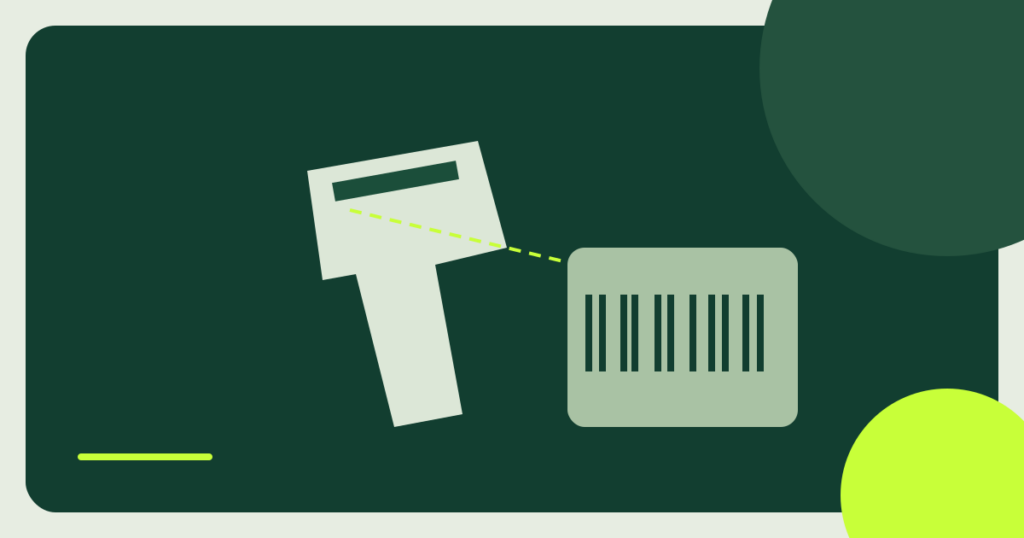
A scanner is useful when the information reaches the right place in your software. Compare the complete task, not just the ability to recognise a symbol.
Bring Examples From Your Own Work
Collect examples of the labels you actually need to scan, including awkward sizes or packaging. Write down whether the scanner is used at a counter, in a stock room or while packing orders. The same accessory can feel convenient in one setting and frustrating in another.
When researching eBusiness Devices, note who uses the scanner and what happens after each scan. Does the item appear in the correct field? Is the right product selected? Those questions are more useful than a demonstration that only shows a beep or a line of text.
Identify the Barcode and Software Requirements
Ask the software provider which barcode types and data formats its checkout or inventory system can process. GS1’s guidance notes that accepting retail 2D barcodes depends on the scanning equipment and the wider point-of-sale setup. Some configurations need software changes as well as suitable hardware.
Do not assume that a scanner advertised as “2D ready” will complete every workflow without configuration. Confirm the exact scanner model, software version and supported barcode examples with the solution provider. For unusual requirements, ask for written confirmation rather than relying on a general compatibility badge.
Compare Connection and Handling
Check the connection options supported by your actual computer, tablet or terminal. For wireless equipment, ask about charging, pairing, normal working distance and what staff should do when the connection drops. Avoid interpreting a headline range as a guarantee in your own premises.
Consider the grip, stand and cable route. A hands-free counter setup has different needs from a device carried around a store. Ask about the conditions covered by durability claims and what the warranty excludes.
Run a Small Acceptance Test
Use a short list of real tasks before committing to several units. Test normal labels, repeated scans and a disconnected or restarted device. Confirm that the software receives the intended data and does not create unintended duplicates or skip information your process needs.
Agree who changes settings and who can restore a working configuration. Save the exact model and setup notes so a replacement can be checked against the same requirements later.
Count Support and Consumables in the Budget
Compare the scanner, required stand or cradle, replacement cables and software support. Clarify whether help comes from the equipment seller or the application provider when a scan reaches the computer but not the right software field.
Use a product catalogue to organise candidates, then narrow the list using a real workflow test. A dependable device with clear support is usually easier to manage than a feature-heavy option whose compatibility remains unverified.
Sources & further reading
KEEP THE CONTEXT
Related coverage
 News
eBusiness Devices ↗
Passkeys and Security Keys: Reading Nist’s Advice Before You Buy
News explainer: stronger sign-in can be built into a device or provided by separate hardware. NIST guidance helps businesses ask better questions before purchasing accessories.
 Insights
eBusiness Devices ↗
Building an eBusiness Device Kit That Works Together
For a small business, a useful device purchase should fit the workflow, protect access and stay manageable after the first week.
 News
eHealth Devices ↗
Pulse Oximeter Accuracy: What FDA Advice Means for Buyers
News explainer: a pulse oximeter provides an estimate, not a complete picture of someone’s health. FDA consumer guidance helps explain why product claims deserve a…
NEXT ON YOUR RADAR
Explore the latest →Ideas worth exploring.
Fresh perspectives. Useful technology. Your next good read.
 Buying guide
eHealth Devices ↗
Buying a Connected Blood Pressure Monitor: Check the Model, Cuff and Support
A connected monitor should be easy to use and suitable for the person using it. Start with the measuring device and cuff, then look at…
 Buying guide
eMobility Devices ↗
Buying an Electric Bicycle: Look Beyond the Range Claim
An electric bicycle should suit the journeys you make and the way you store, charge and maintain it. Start with fit and support before comparing…
 News
eMobility Devices ↗
EV Charging Maps: Why Stations, Ports and Connectors Are Different
News explainer: a location pin does not tell you everything about a charging stop. Understanding the terms behind a map makes trip planning more useful.
 Insights
eMobility Devices ↗
Choosing eMobility Charging Equipment Around Your Routine
Charging equipment should fit the vehicle, the place you park and the time available. Start with those questions before comparing headline power.
Leave a Reply